KIOSK ONBOARDING REDESIGN FOR ACCOUNT CREATION & RETENTION
SKILLS
UX Design
Prototyping
User Research
Usability Testing
TOOLKIT
Figma
Miro
TEAM
4 MS-HCI Students
TIMELINE
August - December (2025)
OVERVIEW
The Pursuant Health Kiosk Redesign improves the onboarding and account creation experience for over 4,000 free health screening kiosk across United States. Through users research prototyping, and usability testing, we identified barriers like unclear instructions, low perceived value. and privacy concerns. The final redesign emphasizes clear benefits, flexible login options, and a smooth user flow to encourage account creation and user retention.
OVERVIEW
Low Account Creation & User Acquisition
Pursuant Health operates free and accessible health kiosk across the United States, primarily in Walmart stores. These kiosks provide self service health screenings with the most commonly used assessments being blood pressure and weight.
Although the kiosks have delivered over 300 millions screenings to date, 95% of interactions are completed as guest sessions. This limits user retention and long term data-tracking benefits.
Target Audience
Kiosk users span all age groups and can be grouped into three main user clusters:
New Users
Taking Control
Wasting Time
PROBLEM STATEMENT
SOLUTION
Kiosk Redesign
USER RESEARCH
What Are the Barriers to Account Creation & Users' Signup Method Preference?
To gain a comprehensive understanding of the target user group, we employed a mixed-methods research strategy consisting of 3 qualitative and 2 quantitative studies. The goal is to identify users' behavioral pattern while interacting with the kiosk, barriers to account creation, and determine users' preferred signup method.
Field Observations
To capture authentic and realistic user behaviors and understand how context impacts usability
Competitive & Comparative Analysis
To uncover unexpected approaches to user conversion by looking at kiosks and health tracking services in other use cases
Contextual Inquiries
To probe users in real time and gain a deeper understanding of user’s choices
Exit Survey
To expand our reach to real Pursuant kiosk users across the US
Heatmap Survey
To gain quantitative insights about kiosk usage and general user login behaviors
KEY FINDINGS FROM RESEARCH
Users did not perceive clear benefits from the kiosk
Concern for privacy prevents users from creating an account
Users were often confused by the on-screen instructions
Users have varying preference for sign-up and login methods
Current kiosk lacks use of persuasive language and visual hierarchy in comparison to similar systems
USER NEEDS & DESIGN IMPLICATIONS
User Needs
Design Implications
Users should be able to easily understand how to use the kiosk, the process, and the interface
The kiosk's signage and instructions should be clear and accessible
Users should not be required to give out all of their personal information multiple times
The system should only require absolutely necessary information and should only require users to input it one time
Users should be able to complete the process in as few steps as possible
The kiosk's flow should be effective and intuitive for users to use
Users need to clearly understand the benefits of using the kiosk to be motivated to use it consistently
The kiosk needs to clearly convey its usage benefits to users at the beginning of the experience
Users need to feel in control of their personal health data
The kiosk should emphasize users feeling in control of the their personal health data and build trust with the system
FEEDBACK FROM USERS & EXPERTS
Exploring New Features & Area for Improvements
SKETCHES
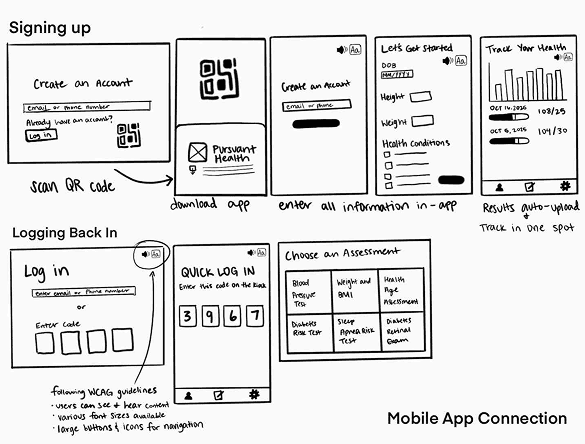
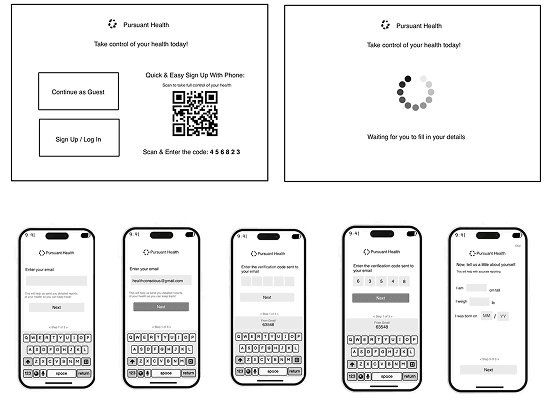
Taking user research findings and design implications, we ideate and explore three login concepts and conducted feedback with users.
Mobile App
Users login at the kiosk by scanning a dynamic QR code generated within the mobile app.
Mobile Wallet Login
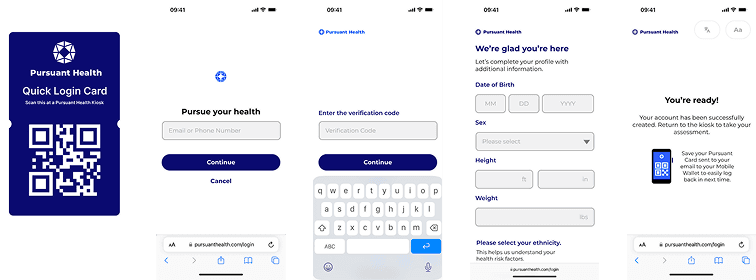
Returning users save their login QR code to Apple/Google Wallet for one-step, immediate kiosk login.
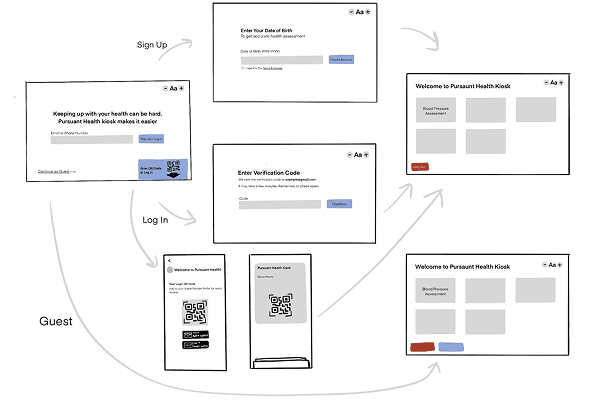
QR Code Sign Up on Web App
Users scan a kiosk QR code to complete the full account sign-up process securely on their personal mobile device via the web app.
WIREFRAMES
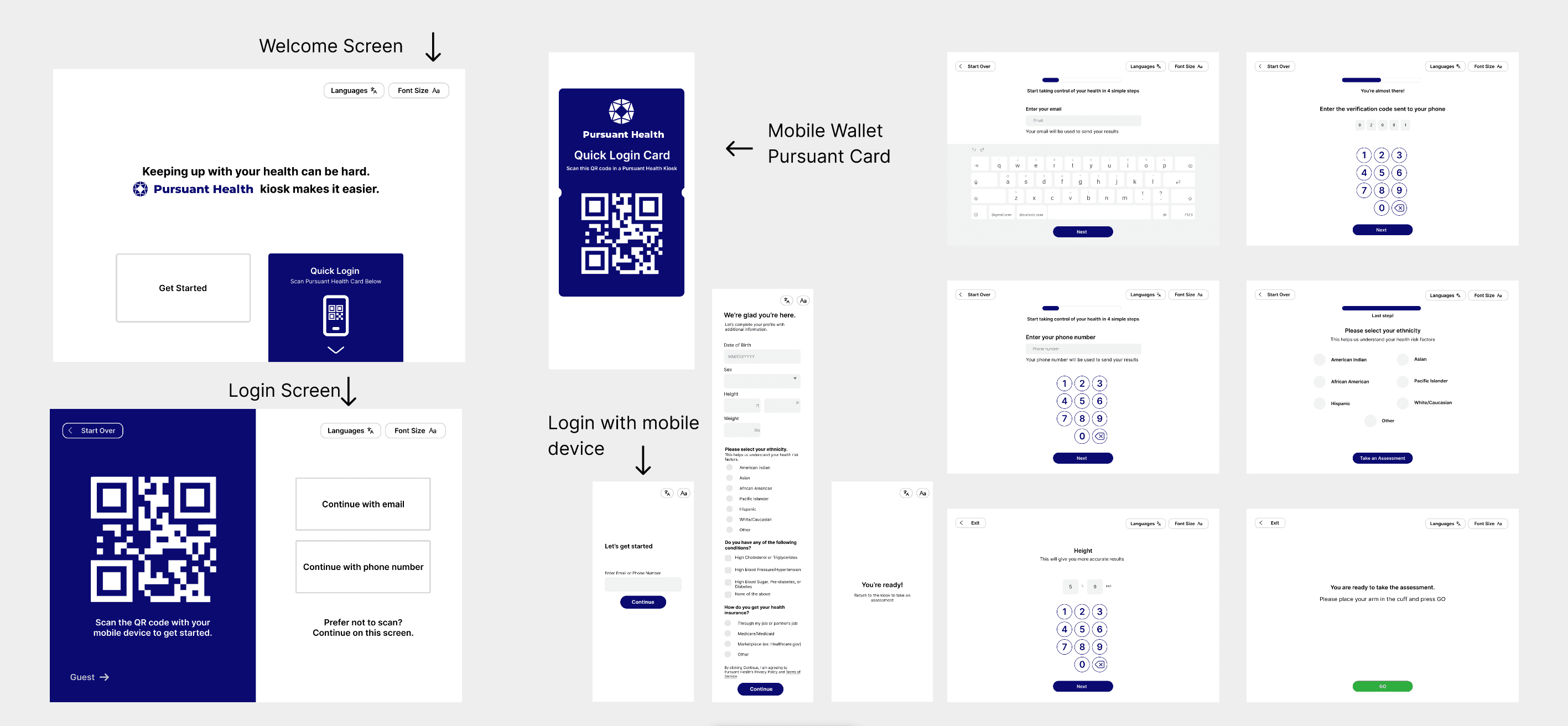
We received most positive feedback for the mobile wallet login feature and found that most users don't want to download an app for the kiosk. Using these findings, we created wireframes and conducted 3 more feedback sessions with users of varying levels of technological literacy.
KEY FEEDBACK FINDINGS
Users like having multiple options to create an account
Users are unclear about the various options they had
Users want to understand and feel the benefits of using the kiosk
PROTOTYPE & TESTING
Redesigning & Iterating Kiosk Design
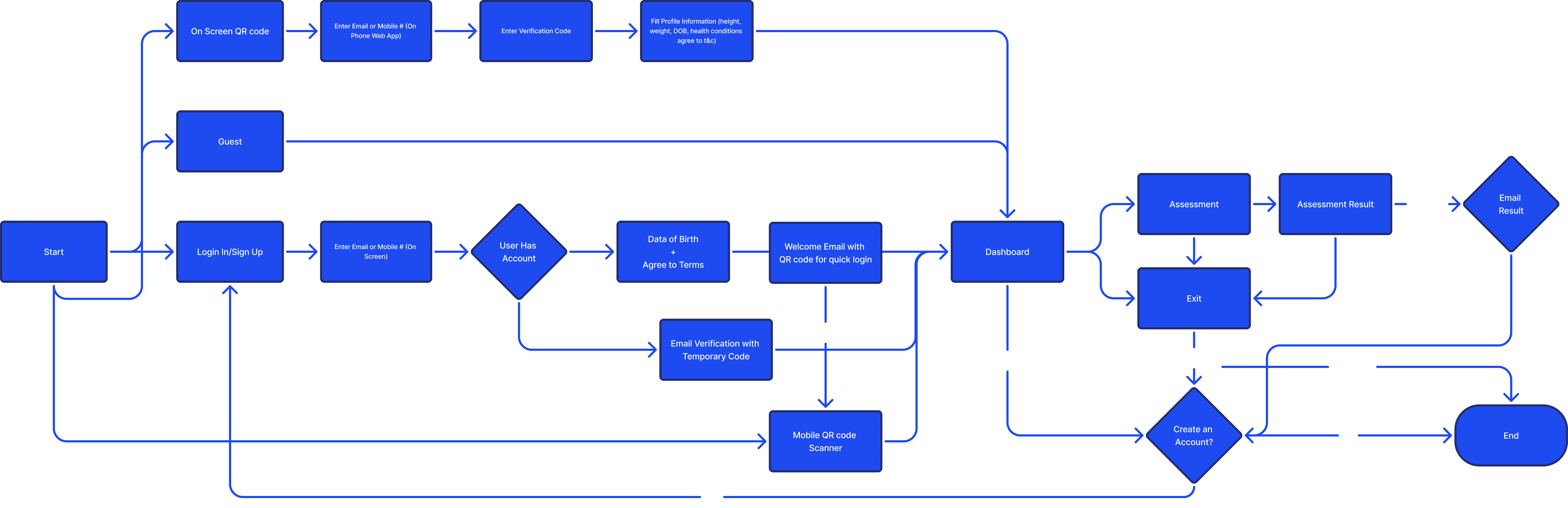
ESTABLISHING USER FLOW
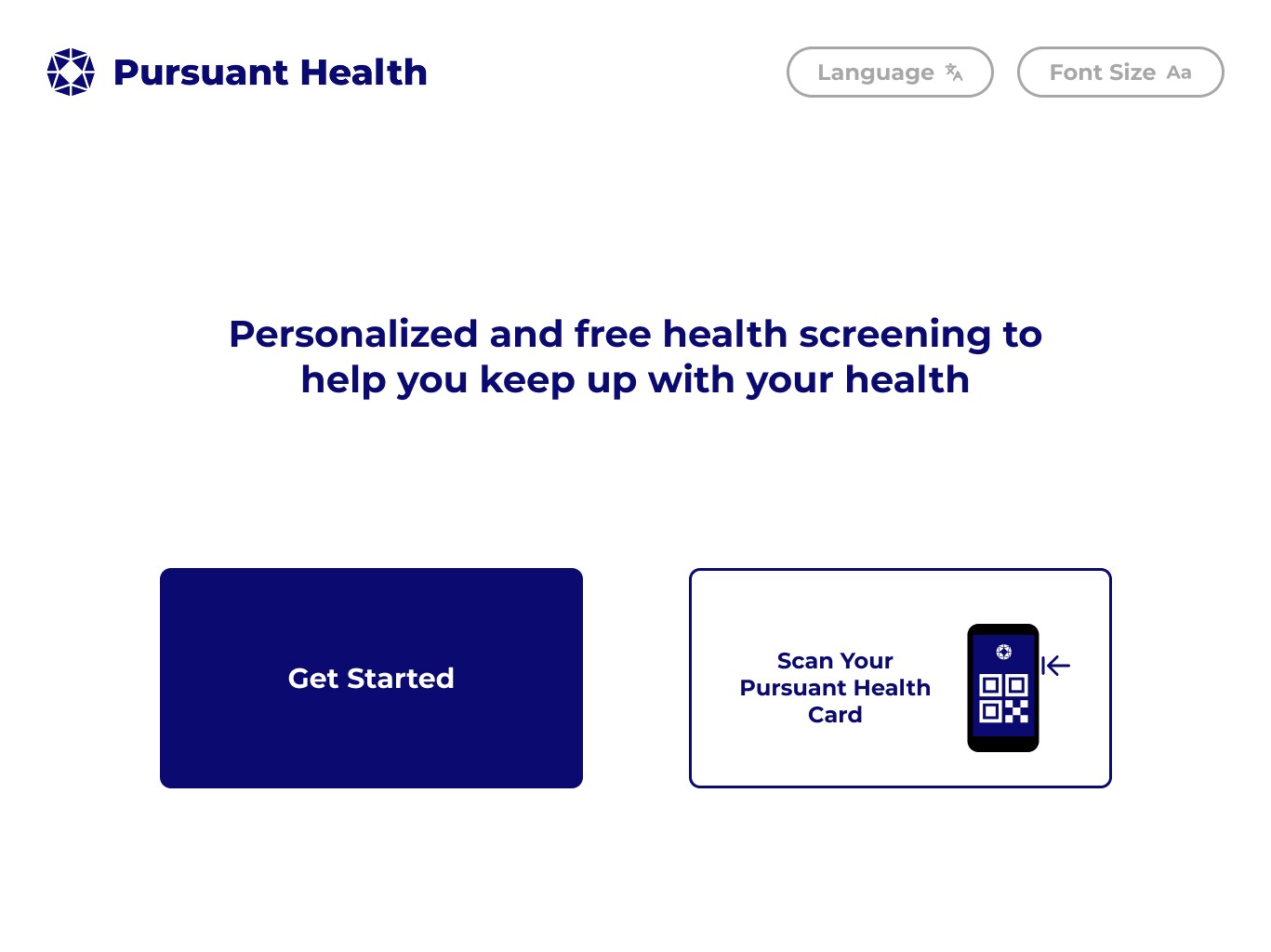
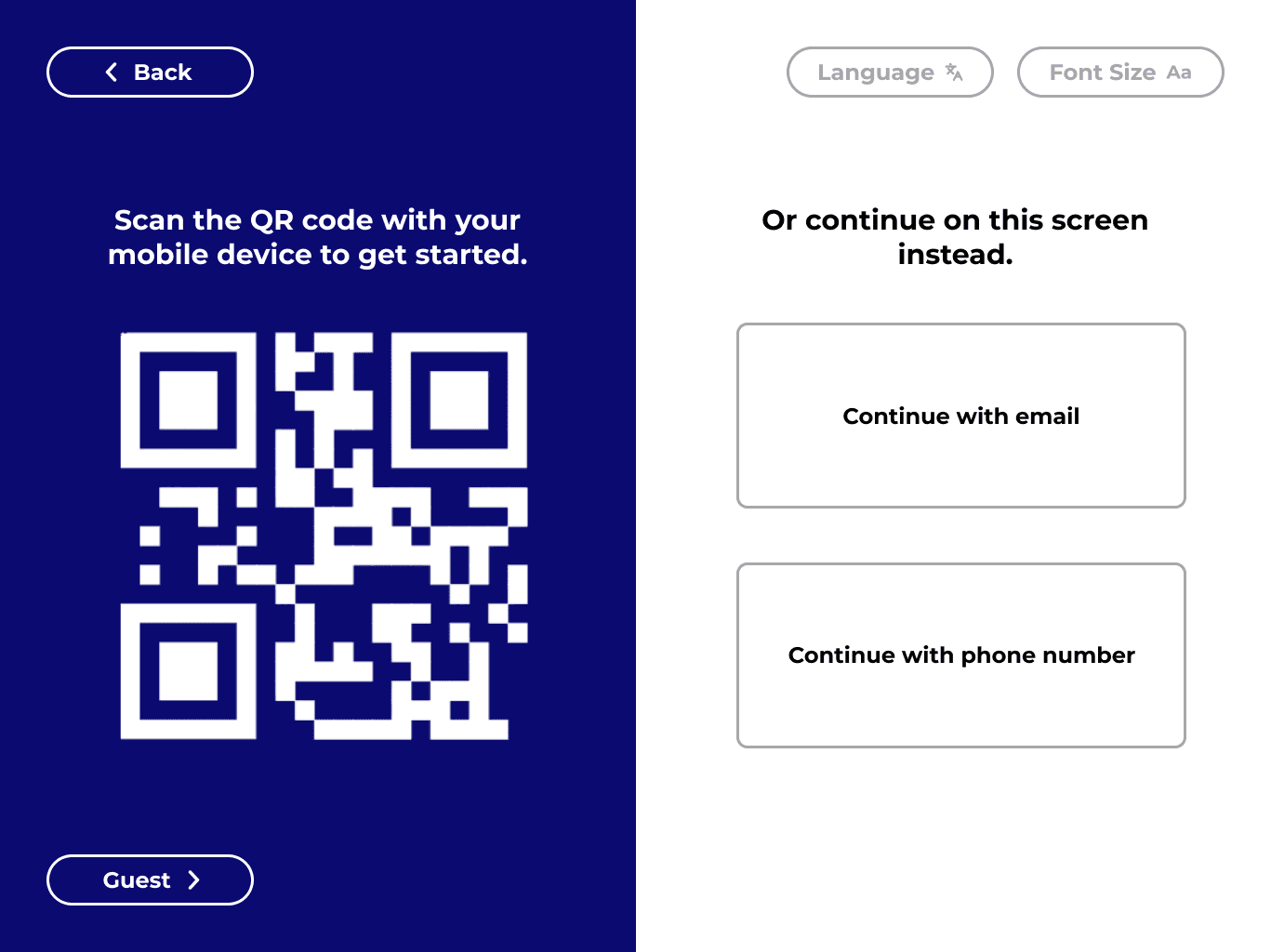
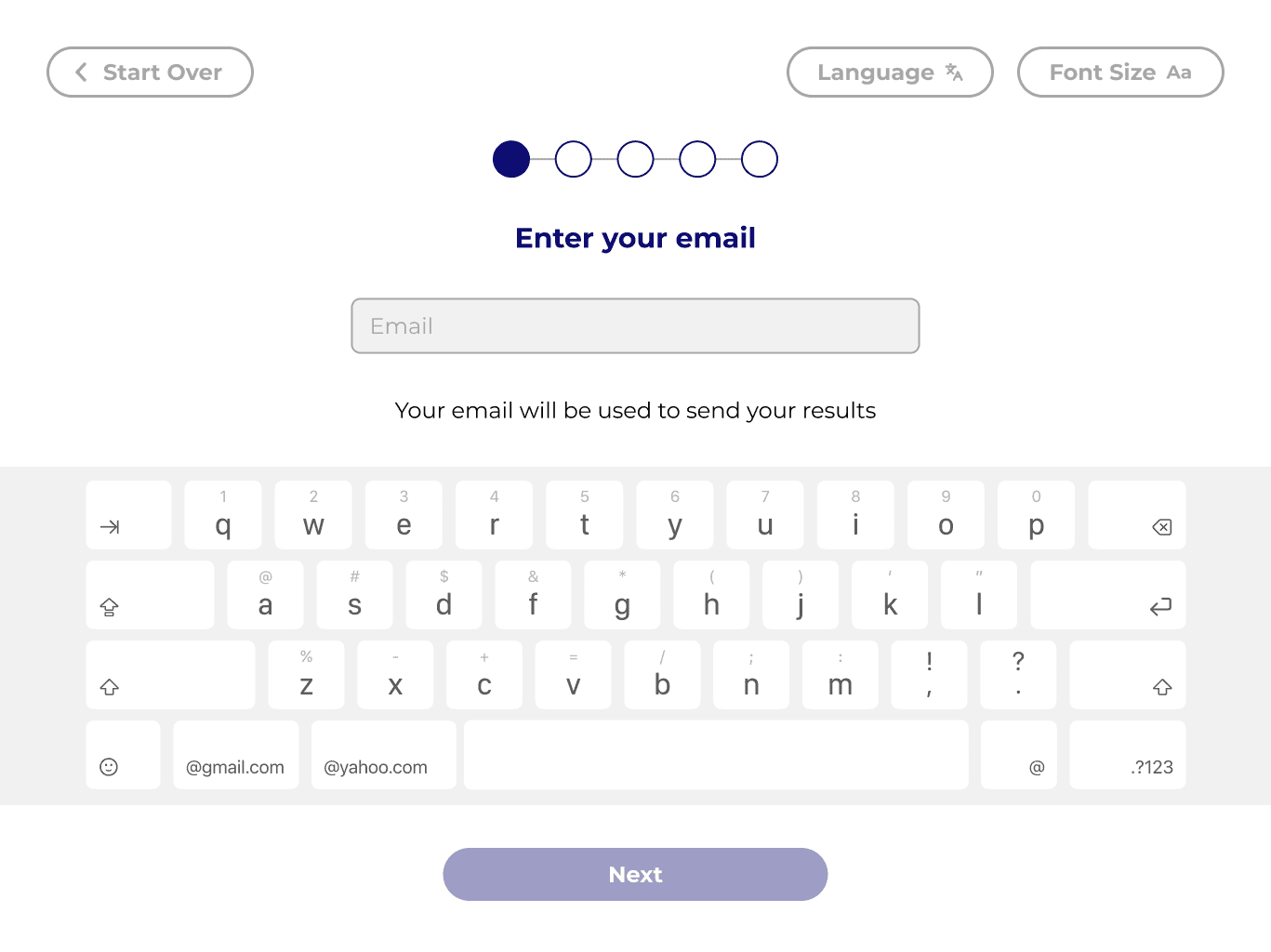
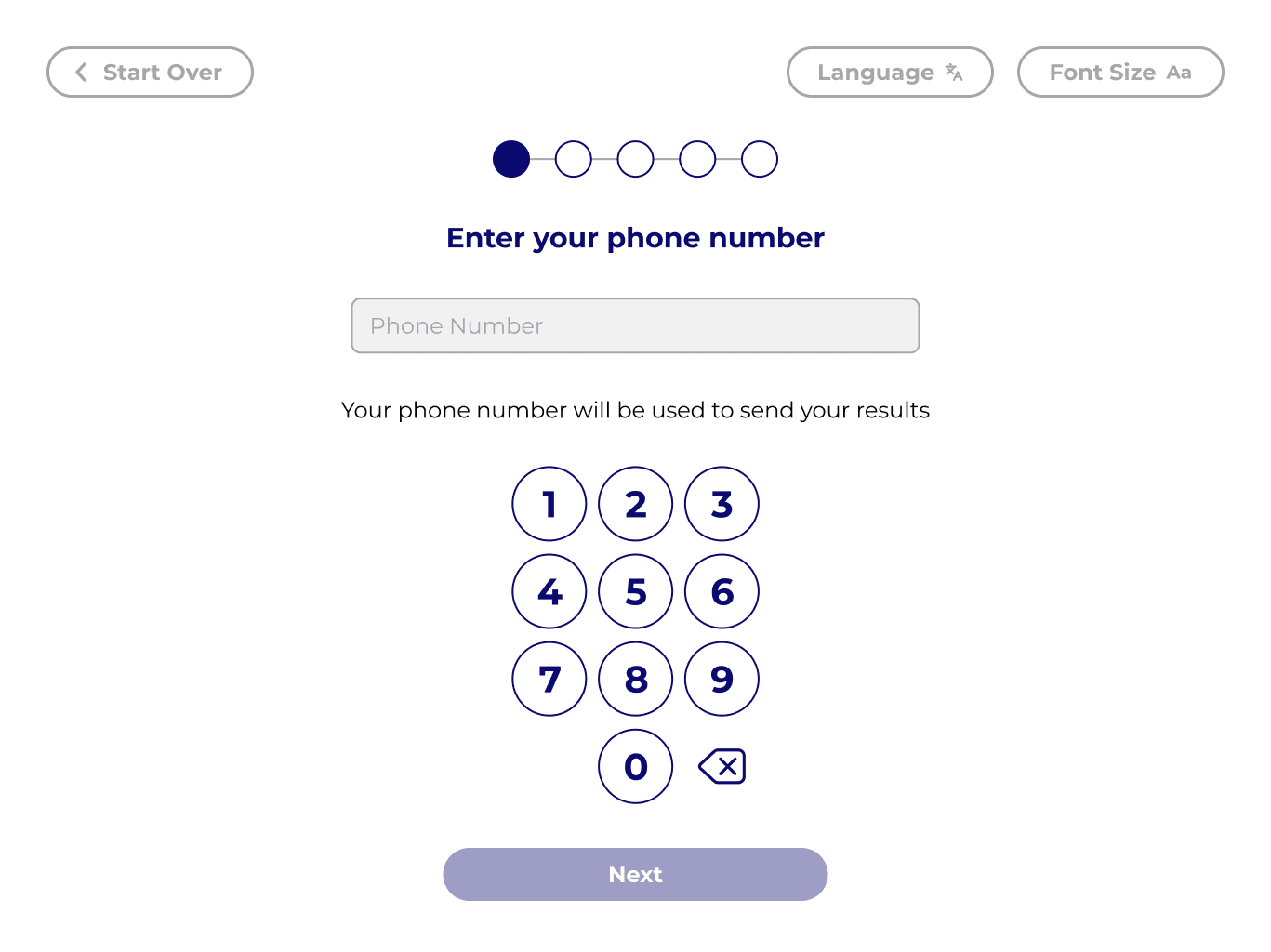
INITIAL PROTOTYPE
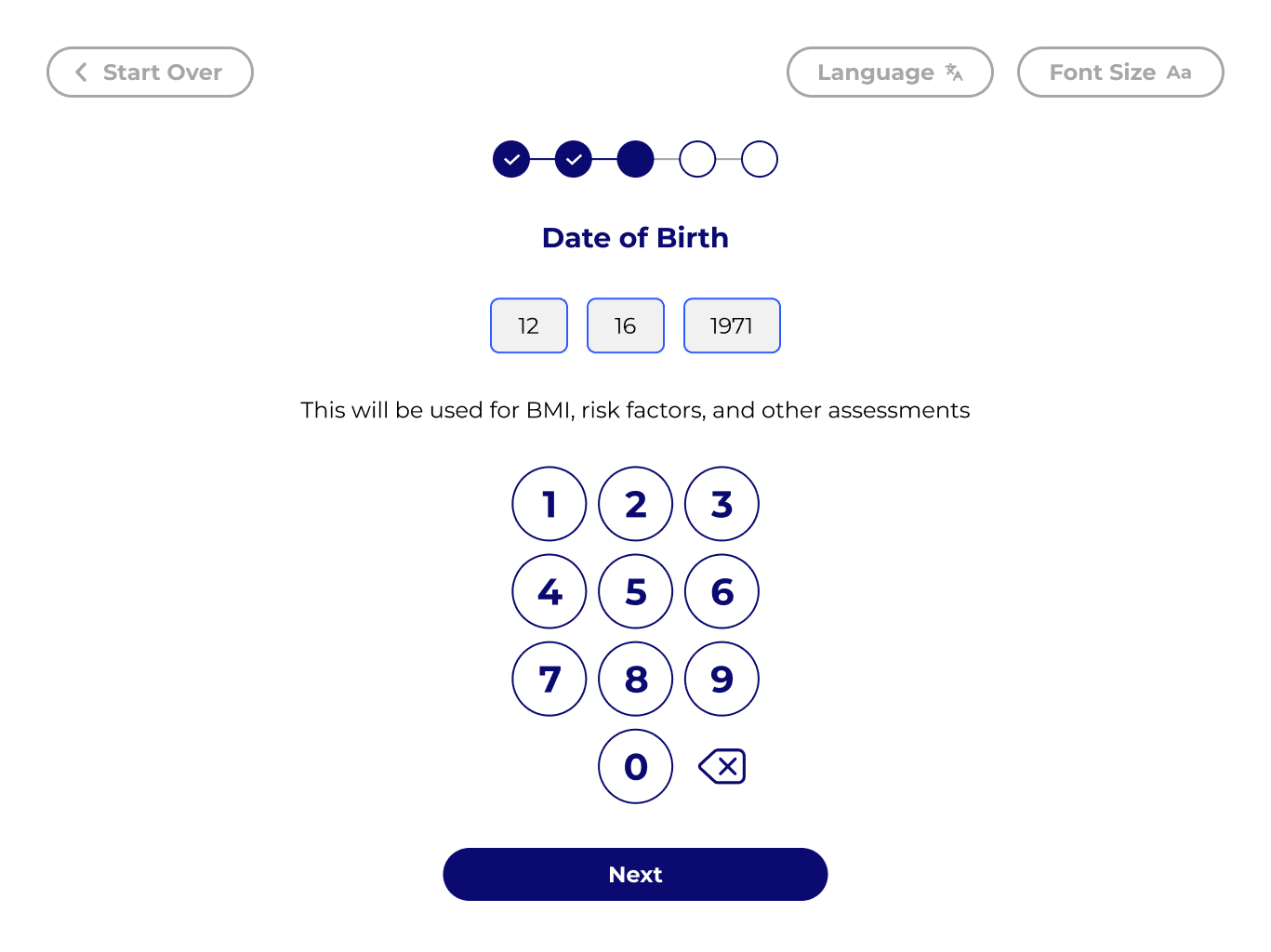
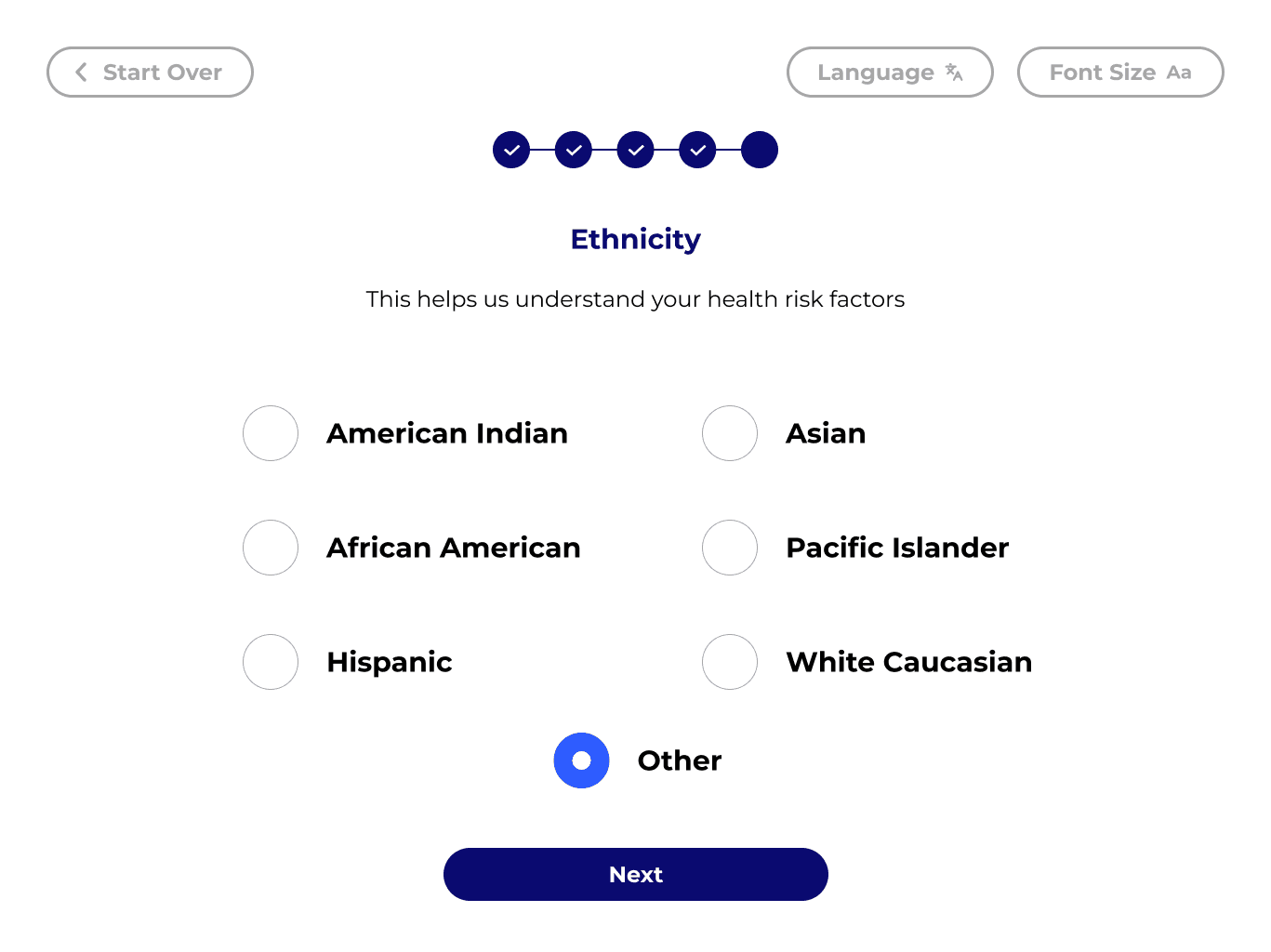
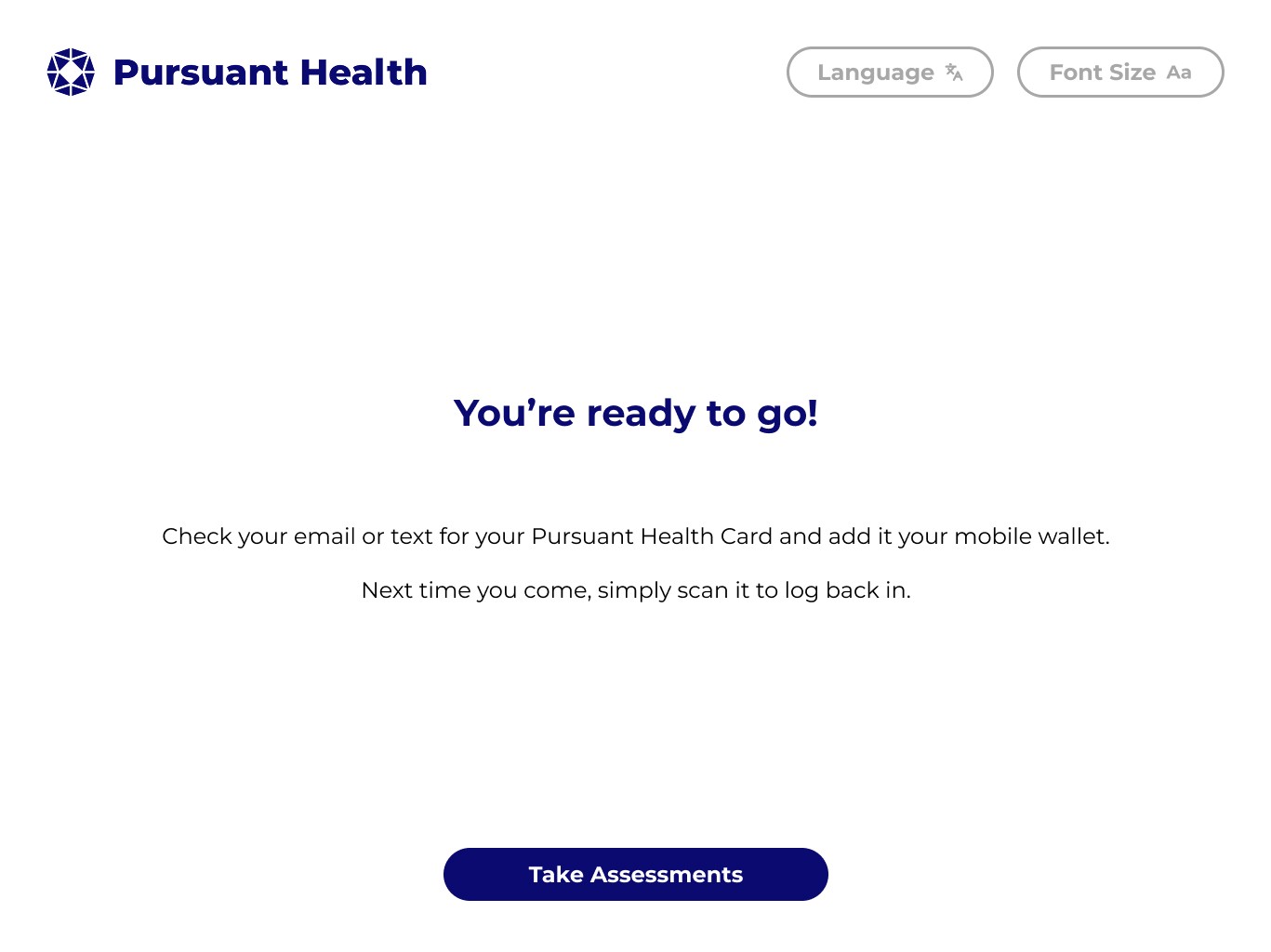
TESTING WITH USERS
EVALUATIONS WITH EXPERTS
FINAL PROTOTYPE
Redesign that Emphasizes Clear Benefits, Flexible Login Options, and a Smooth User Flow
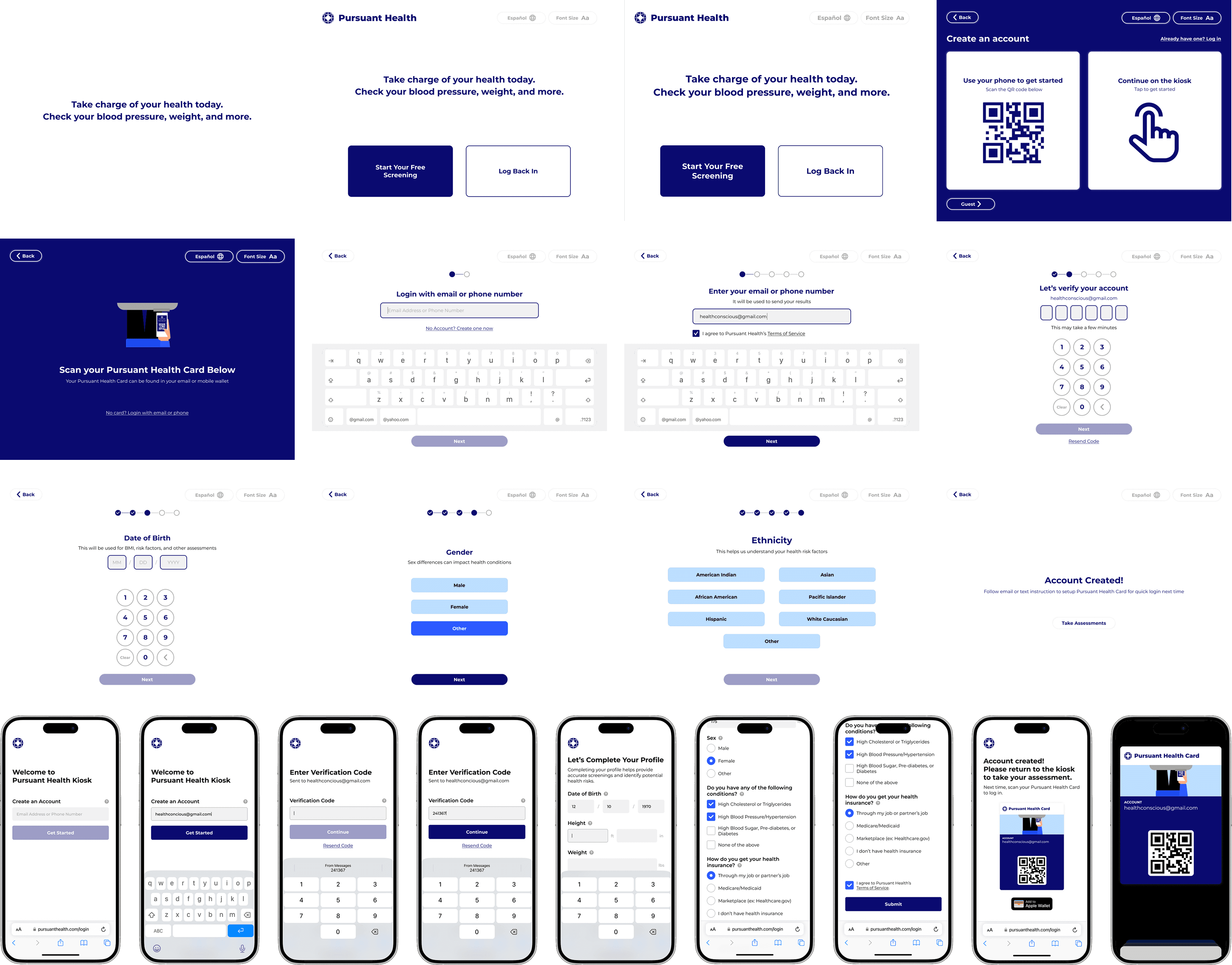
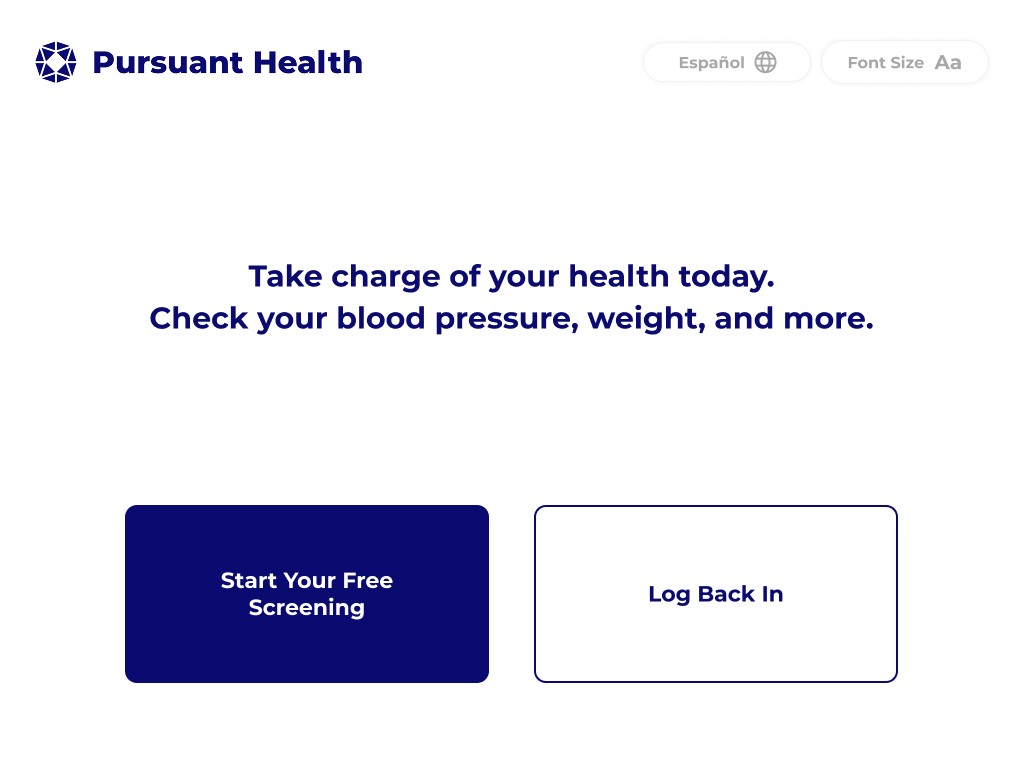
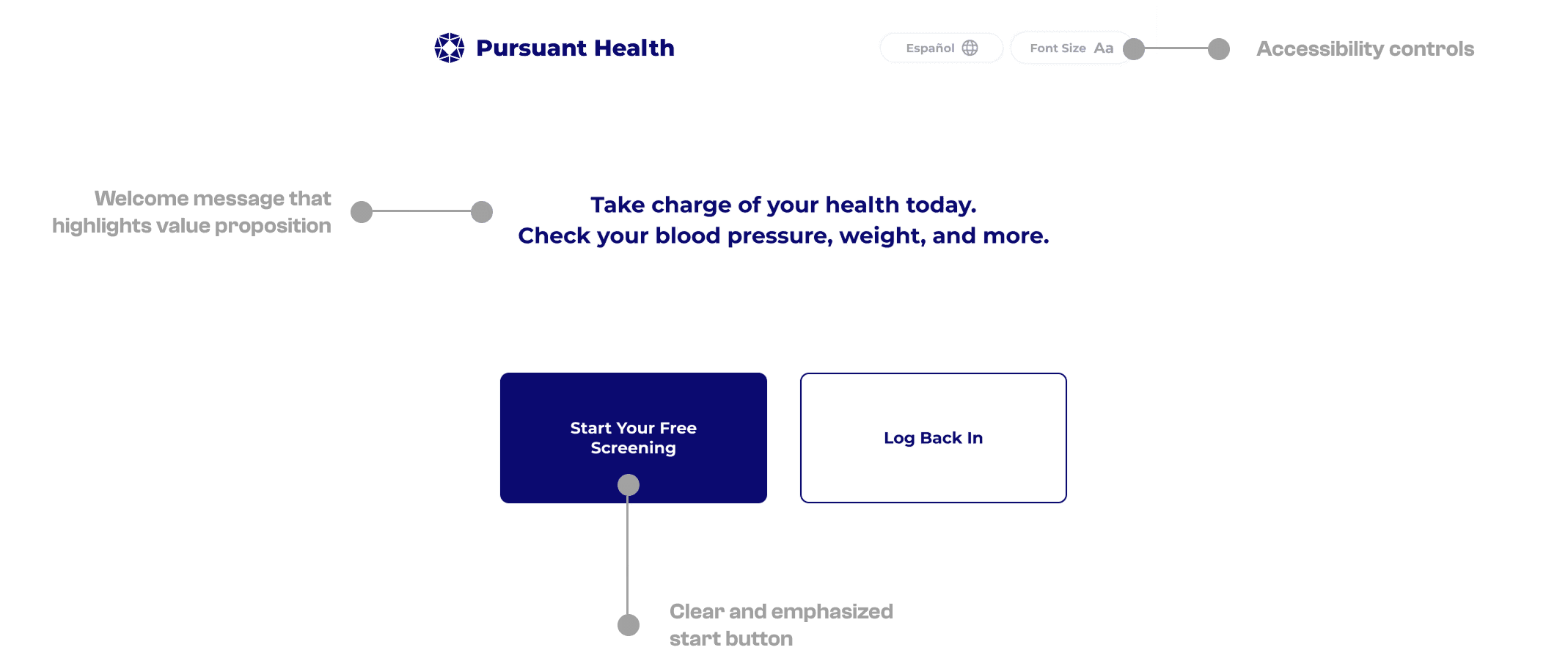
WELCOME MESSAGE
The kiosk's primary value proposition is prominently highlighted at the beginning of the user journey.
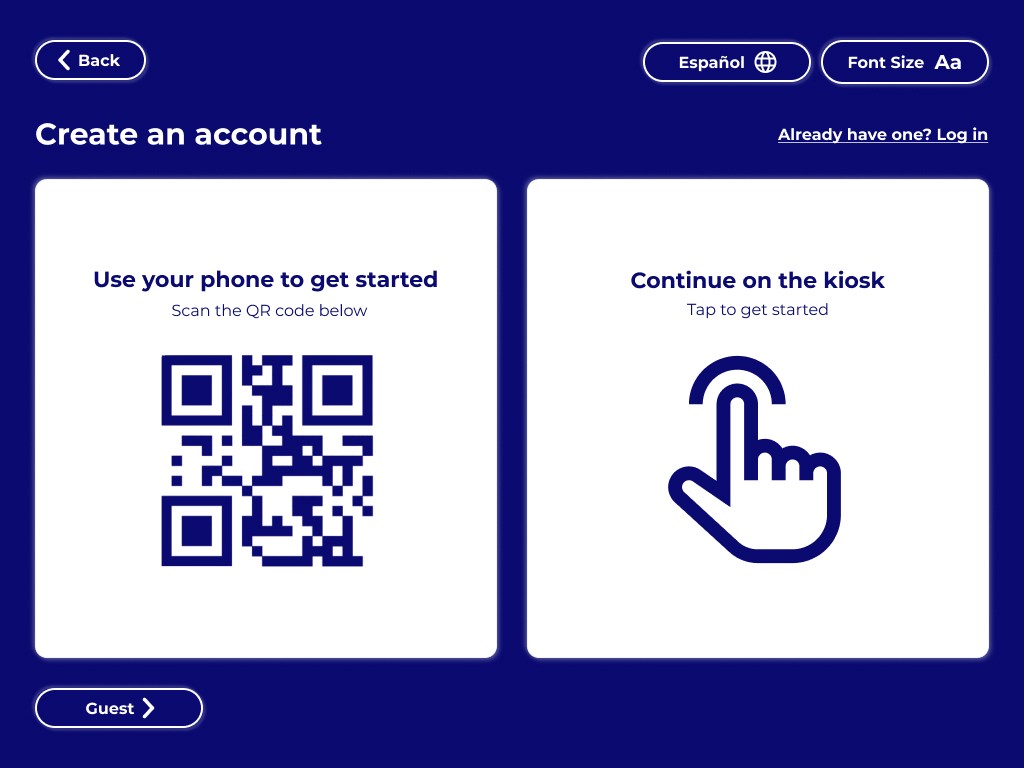
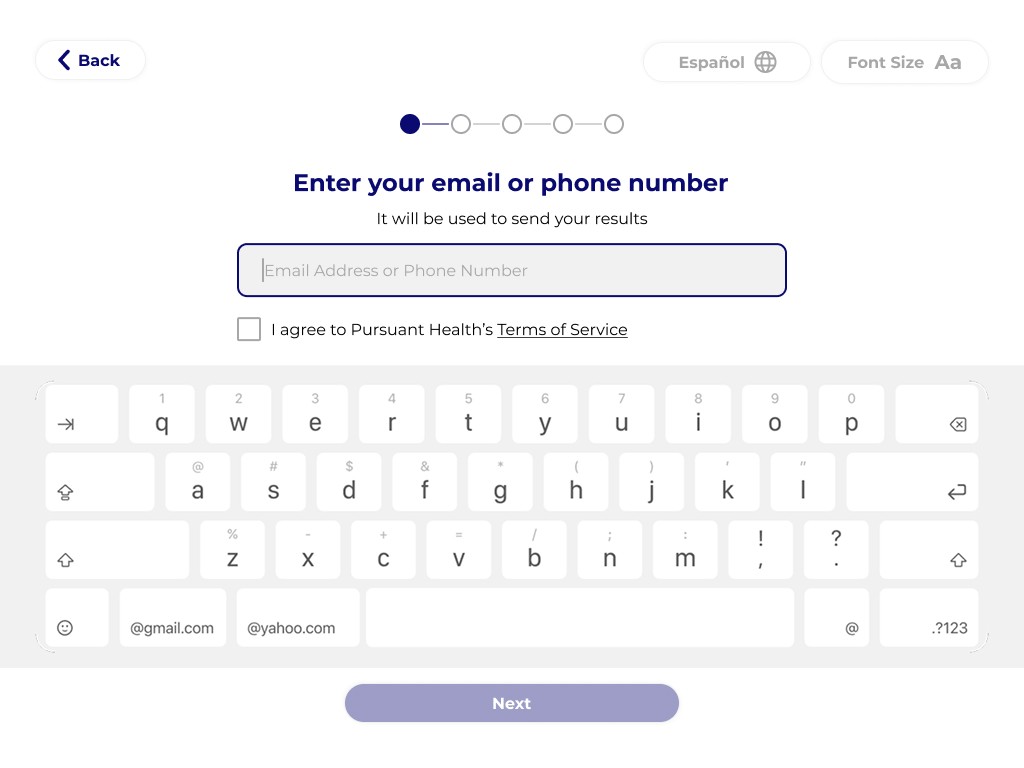
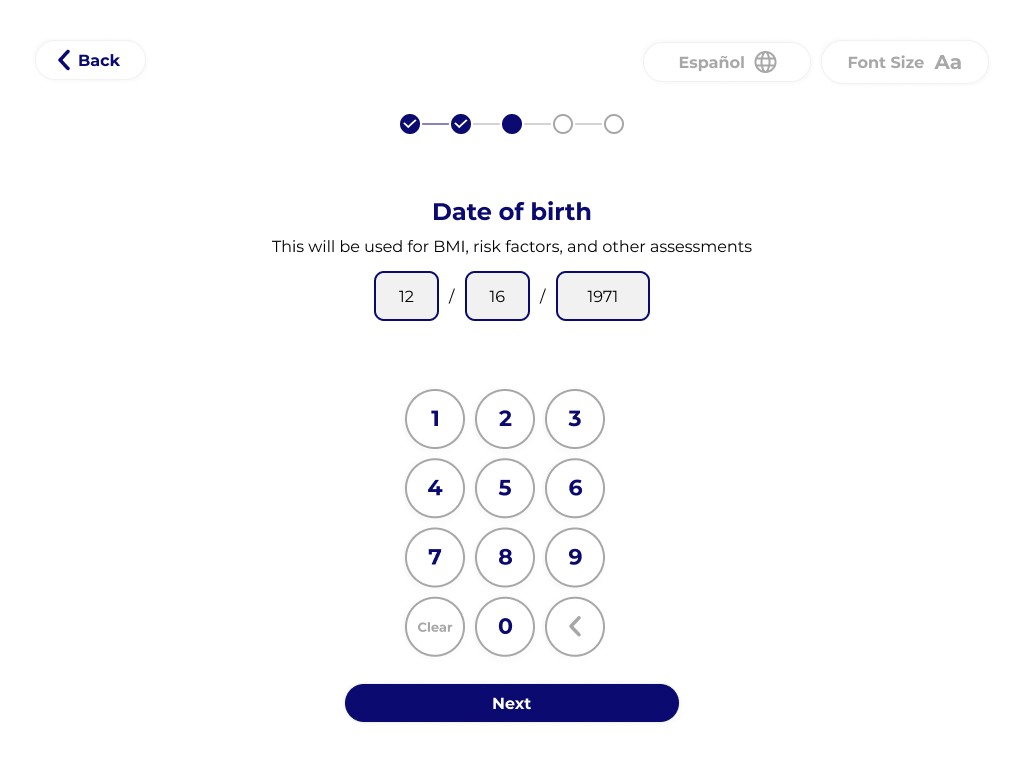
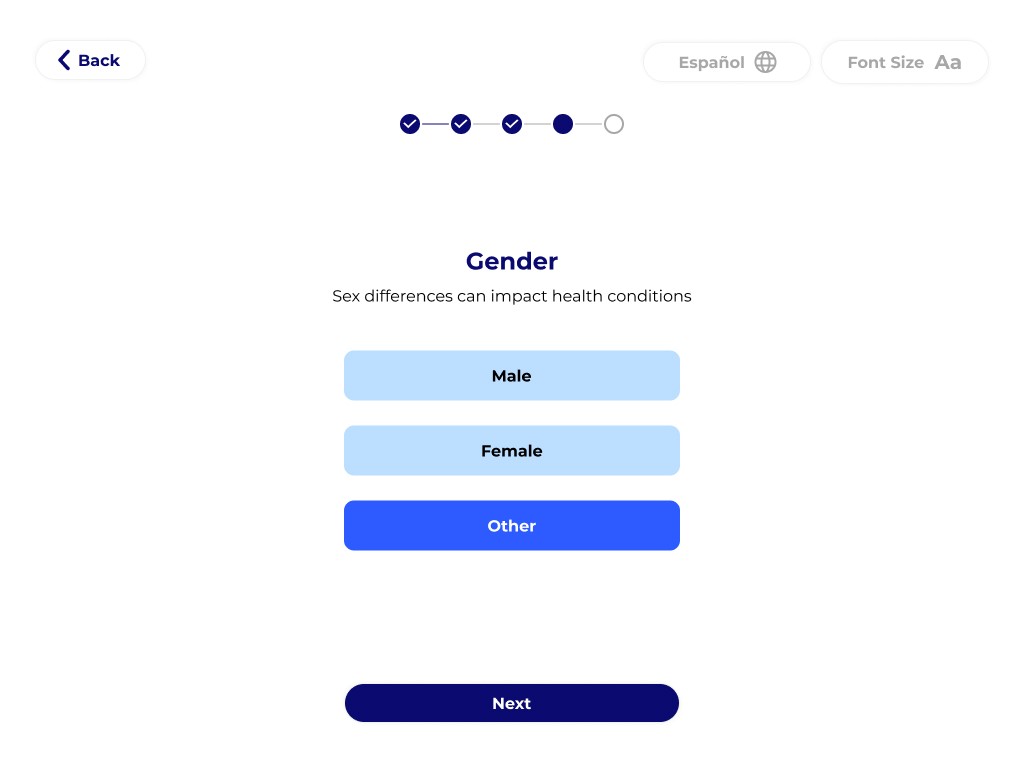
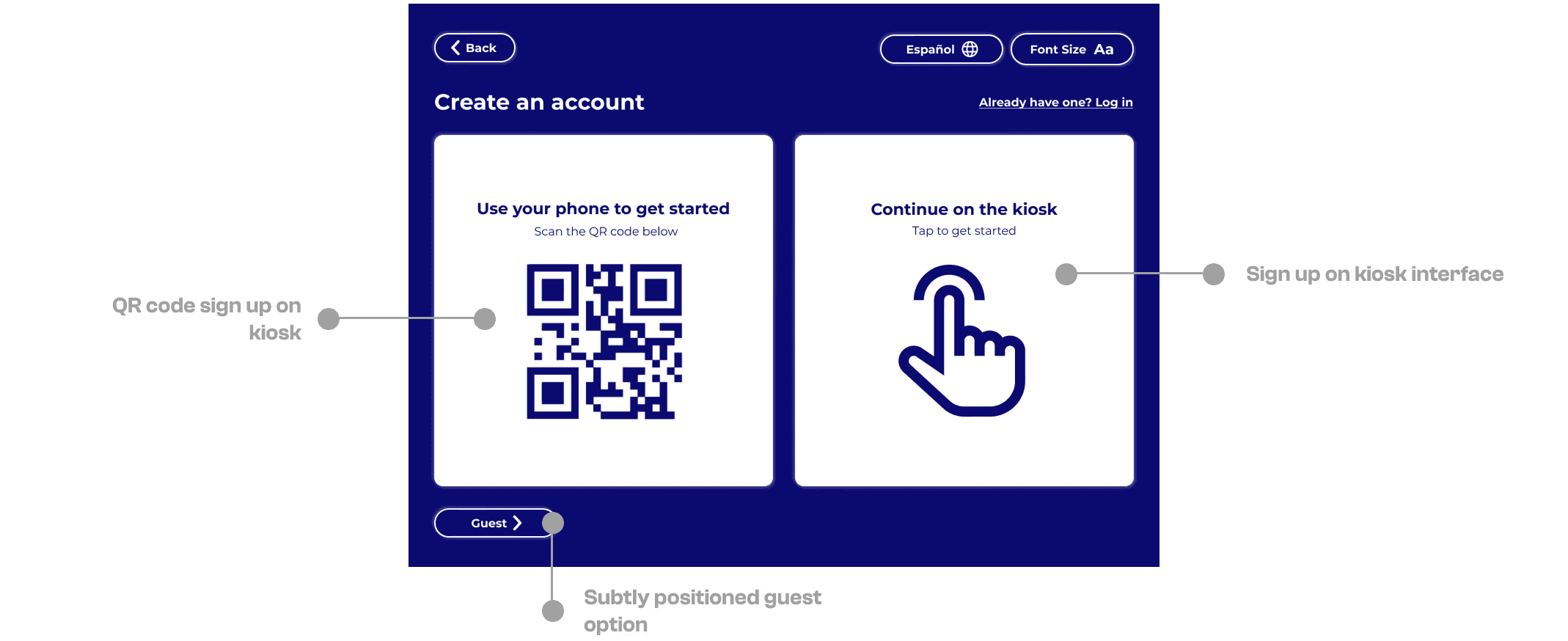
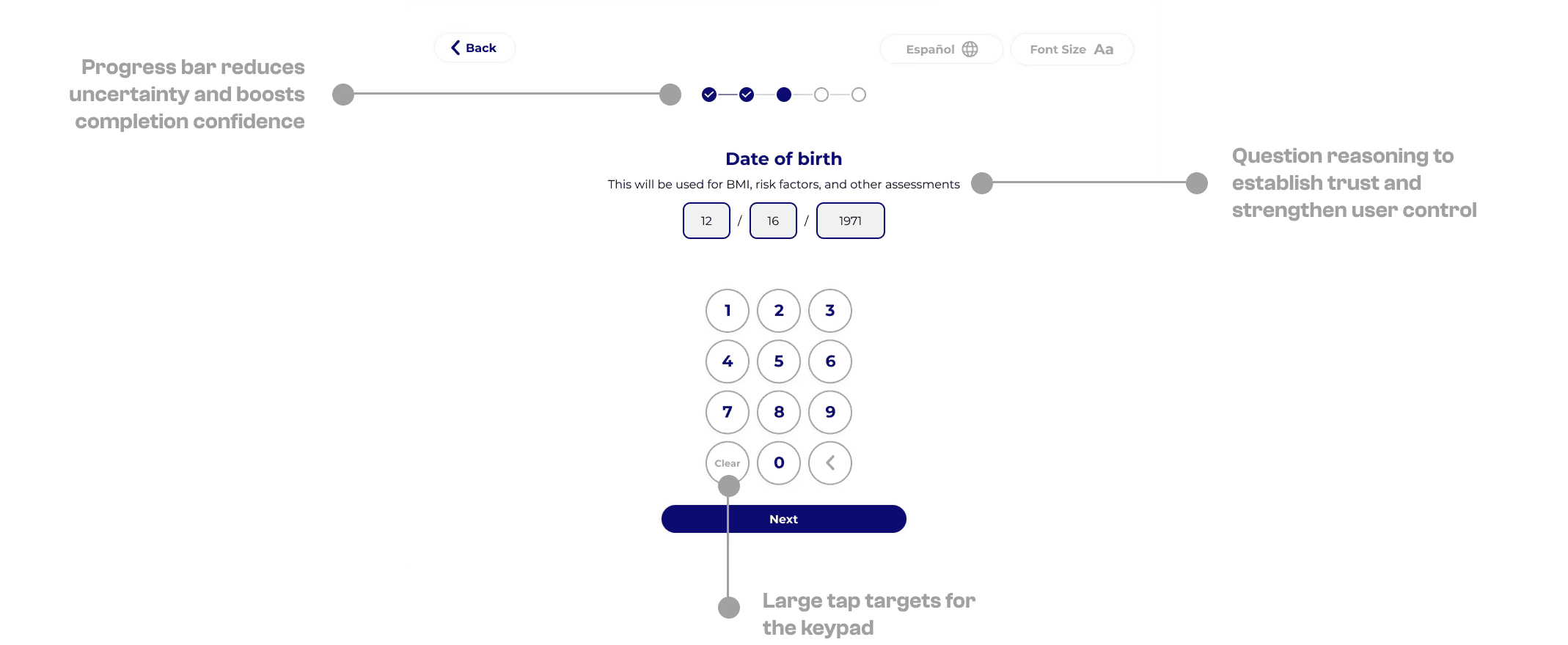
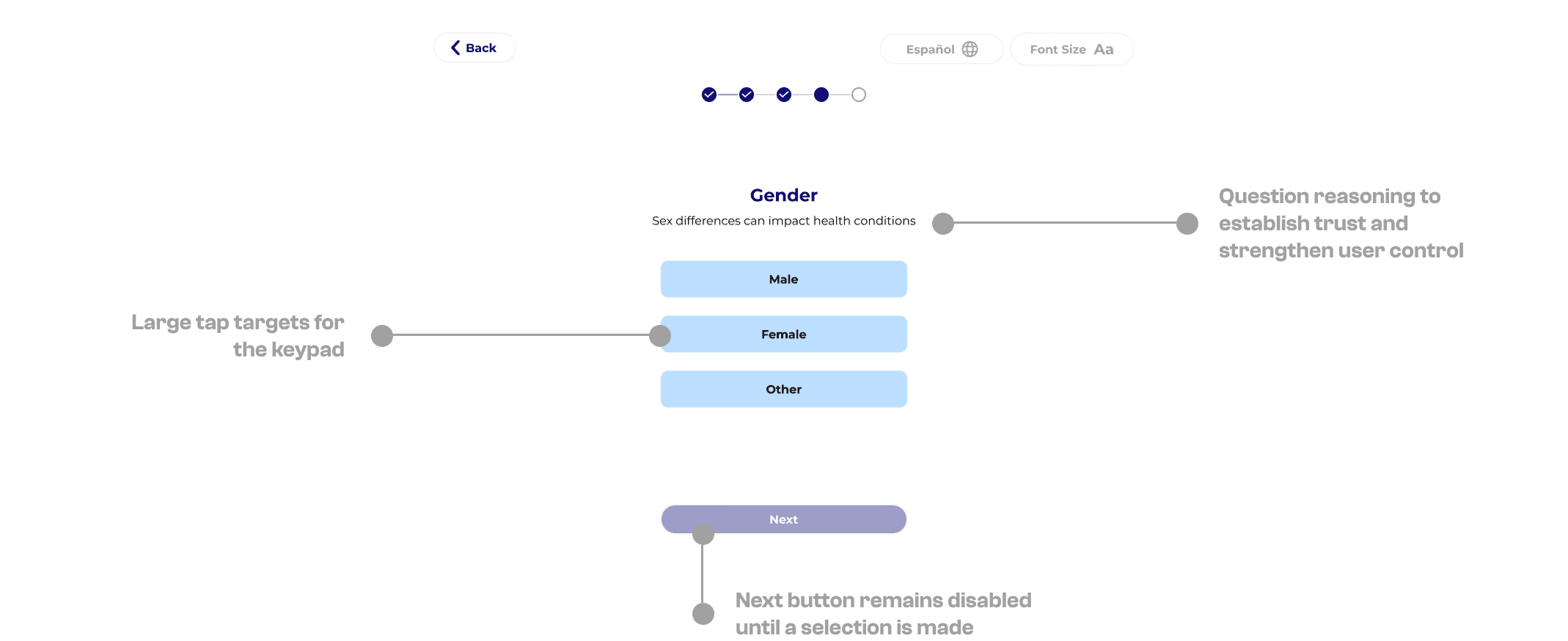
ACCOUNT CREATION
Improved users' account creation experience by offering flexible sign-up options and providing clear step-by-step instructions.
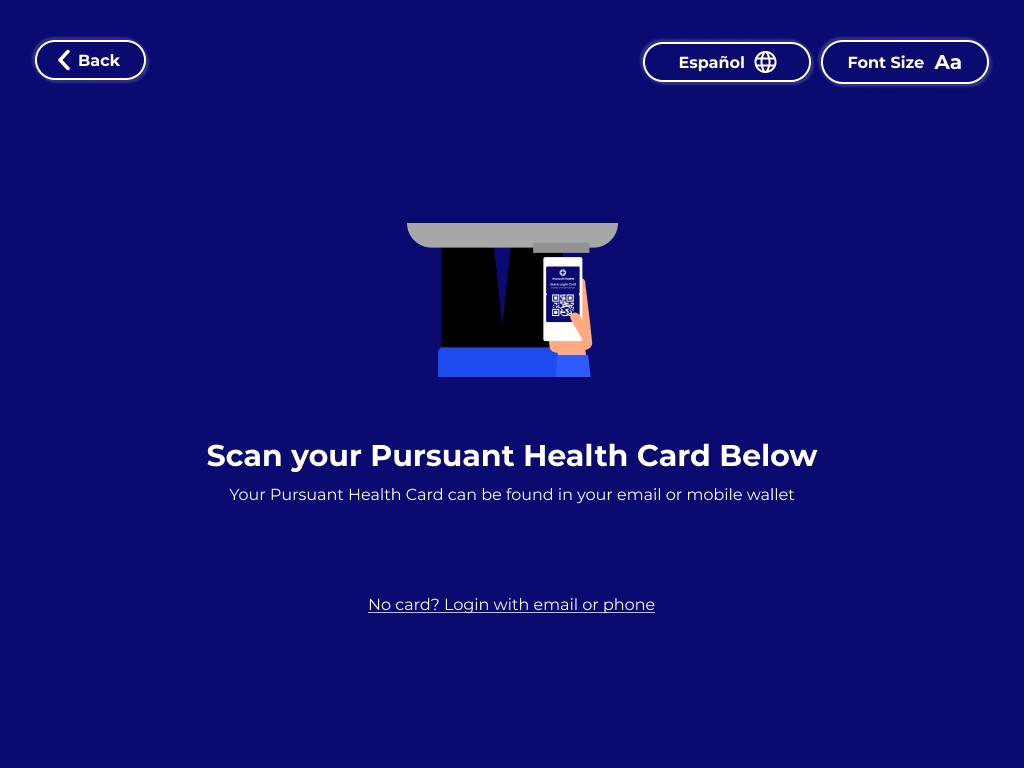
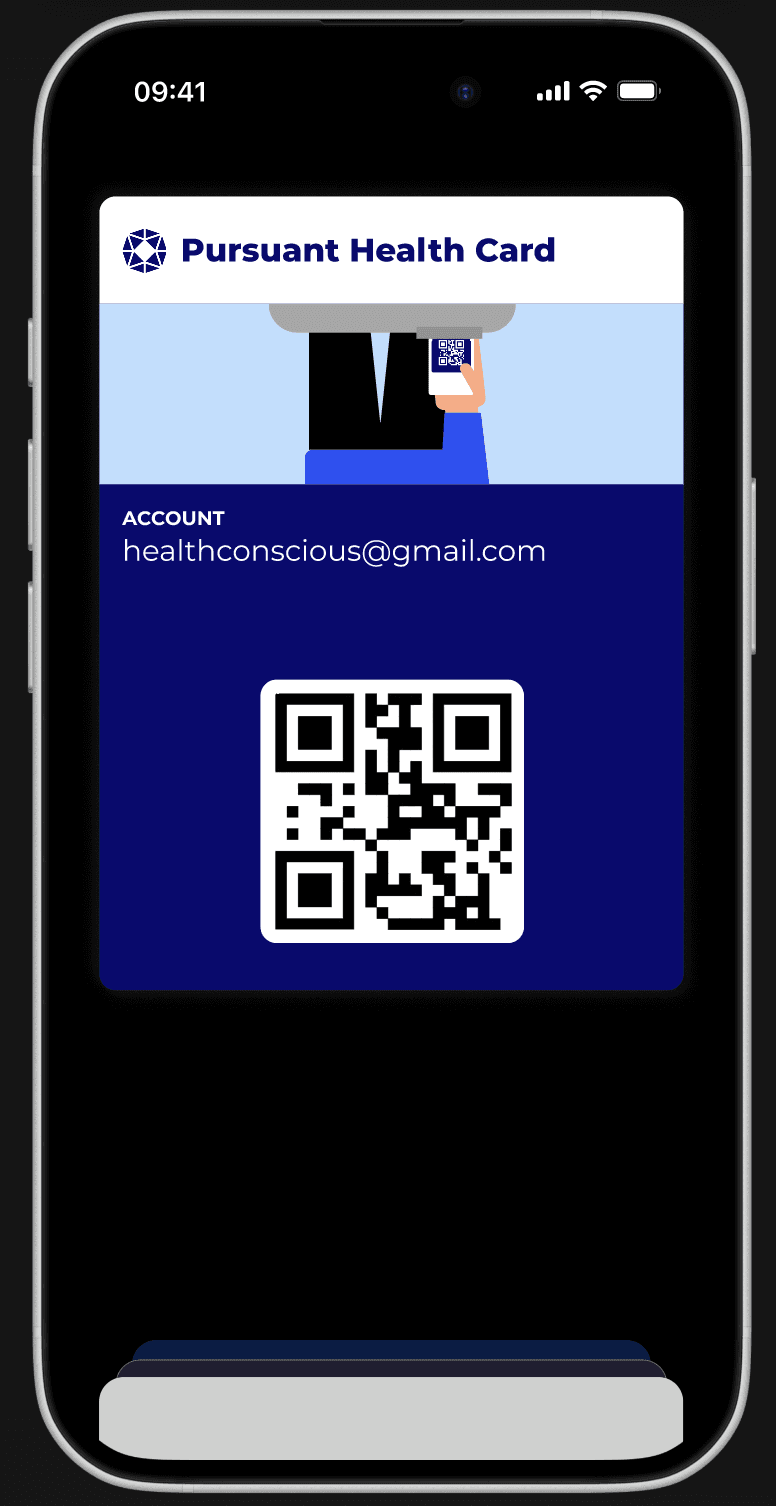
QUICK LOGIN
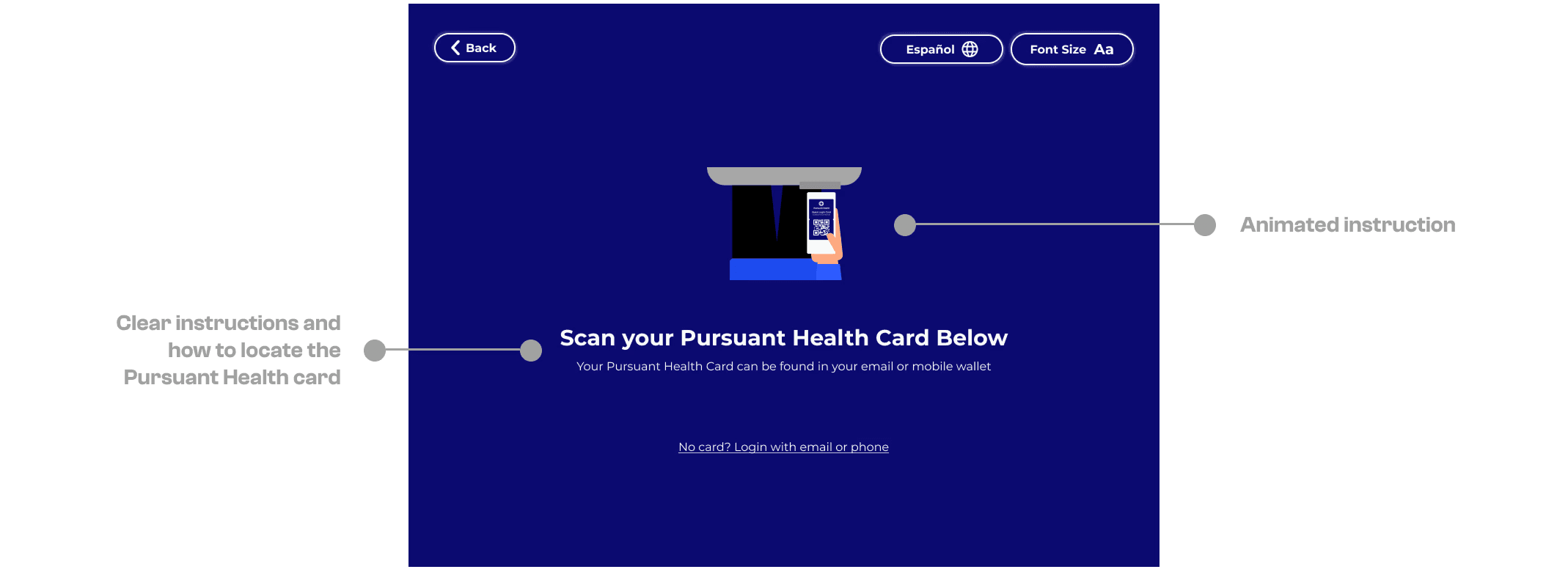
Introduced the Pursuant Health Card that users can add to their Apple/Google wallet for a one step quick login.